TURBOARD
What's New
What’s New · October 2026
October 2026 Update: System Console and Dashboard Version History
Watch the two main features in the two-minute YouTube videos below, then read about the two additional improvements.
282fixes and minor improvements were also released in October.
System Console · 2-minute video
Manage updates and backups through the administration interface
Also in October
A new top bar for full-screen dashlets
In full screen you can now go through a dashboard one dashlet at a time.
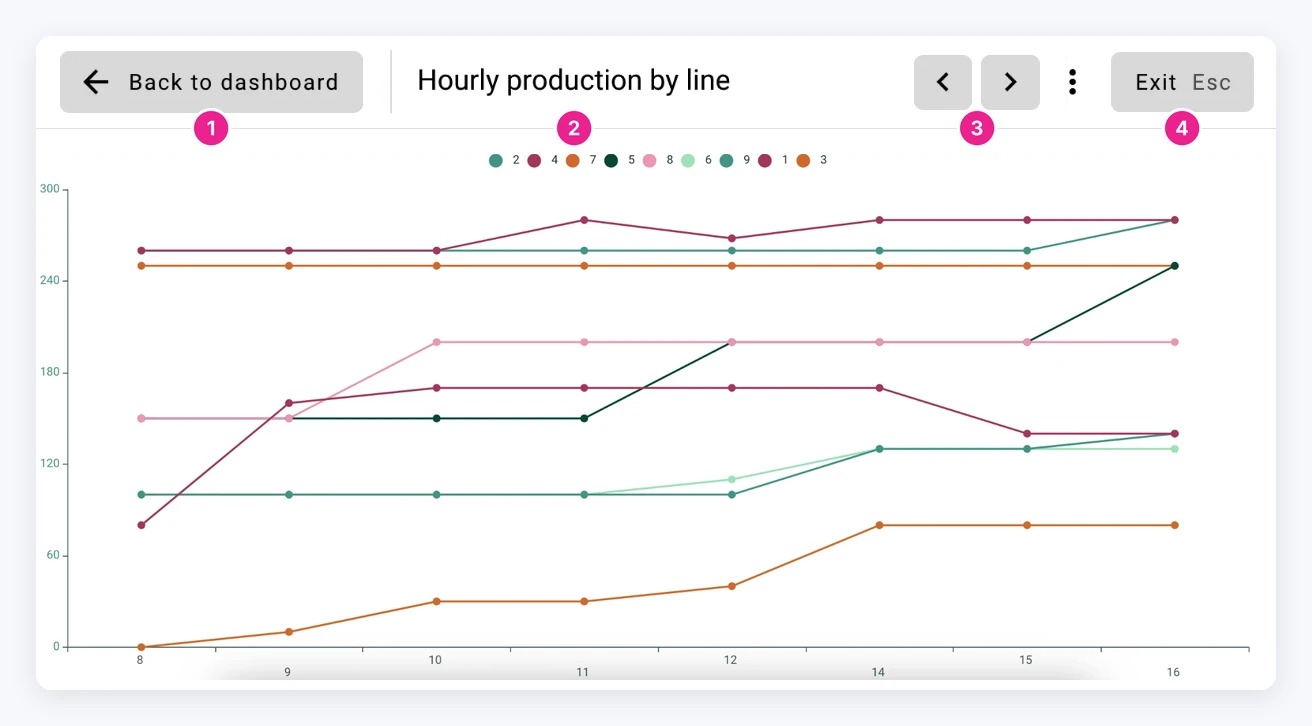
- Back to the dashboard
- Dashlet name
- Previous and next dashlet
- Exit, or press Esc
Password expiration policy
Administrators can now make passwords expire after a set number of days. It is for users who sign in with a TURBOARD password instead of LDAP or another central directory.
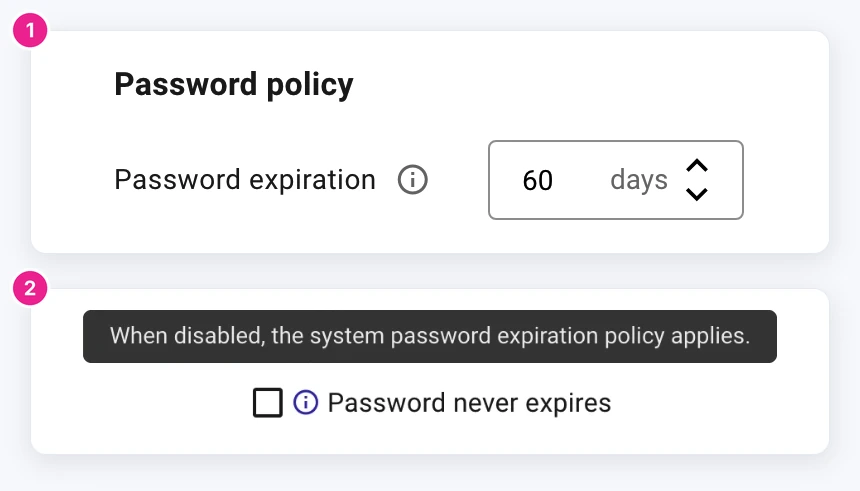
- Set the password expiration period in days at /admin/auth/session.
- Accounts with “Password never expires” checked are exempt. This option is on the user screen in the administration interface.

Stop building dashboards, and start getting answers. Experience the next era of BI with our leading GenAI capabilities ‒ request your personalized free demo today.
Are you curious?