What's New
February Release Highlights
This month's update is heavily focused on empowering system administrators with greater visibility and precision control. We are introducing advanced tools to monitor and manage automated background processes, granular controls to optimize filter cache queues, and a centralized tracking system for user and group asset permissions. Including these highlighted features, our team addressed 236 issues during January, delivering a wide range of improvements and optimizations.
Centralized Background Processes Management
To give administrators full visibility over automated background tasks and message queues, we have introduced a dedicated “Background Processes” page under the System menu. This centralized table provides a real-time overview of all tasks, displaying the Process Name, Description, current Message Count, and Last Run Date, with the busiest queues automatically sorted to the top.
Beyond monitoring, administrators can take immediate action directly from the interface. The Status column lets you instantly start or stop processes with a single click—allowing messages to safely accumulate while a process is inactive. If a queue becomes unexpectedly overloaded, the Clear Queue button instantly removes all pending messages. Additionally, the Logs shortcut jumps straight to relevant execution records, drastically reducing troubleshooting time.
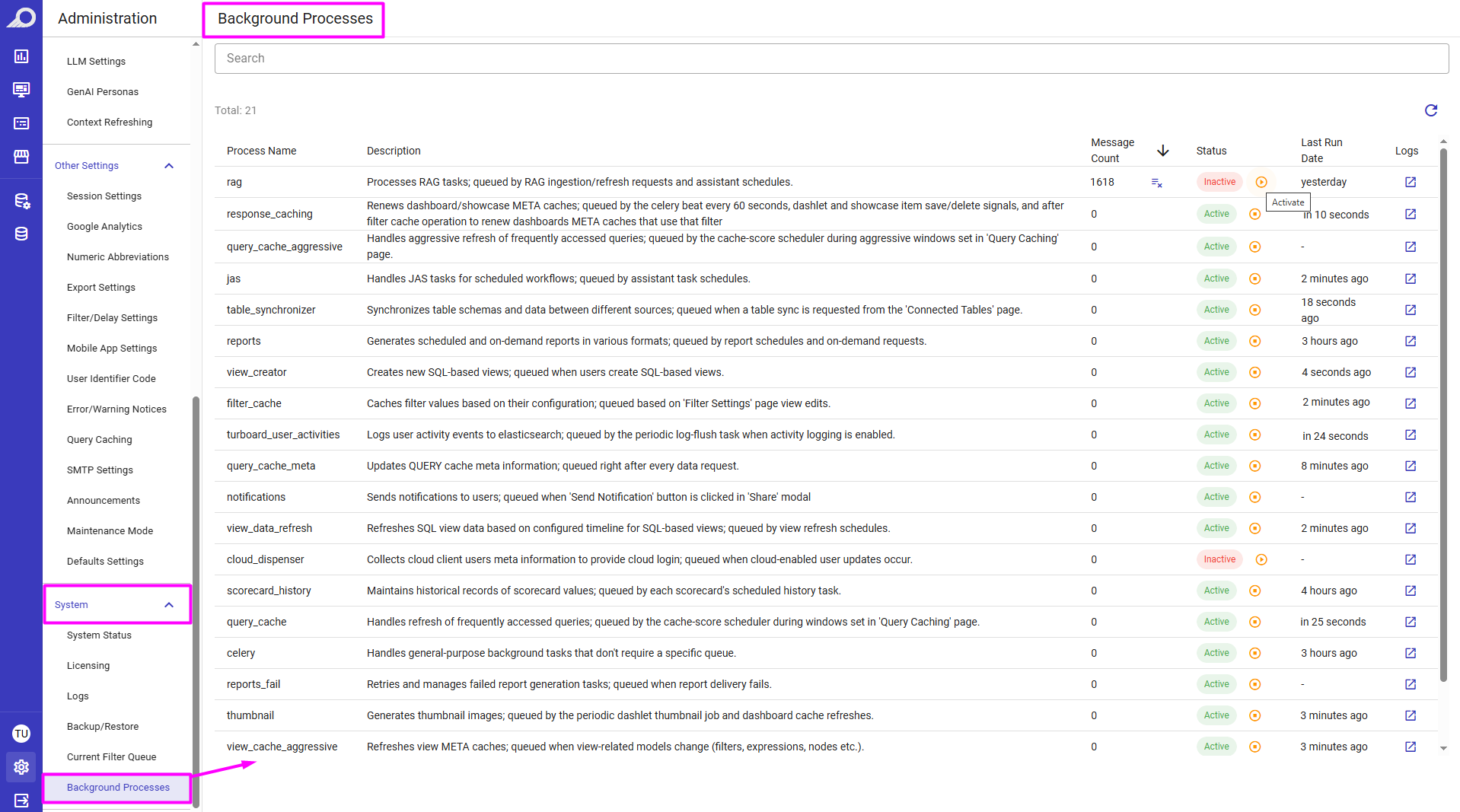
A comprehensive overview of all background tasks, allowing administrators to monitor queue health, clear pending messages, and start or stop processes in real-time.
Current Filter Queue: Granular Cache Management
To provide precise control over filter caching, we introduced a dedicated “Current Filter Queue” page under the System menu. Instead of blindly clearing all pending tasks when a bottleneck occurs, administrators can now see exactly what is queued (by Filter, View, and Priority). You can selectively Delete individual items or use Move to Top to bump urgent tasks to the front of the line.
Additionally, the system now features intelligent prioritization. When a user manually clicks Refresh Cache within a View's filter settings, the task is automatically assigned high priority. This ensures that human-requested updates instantly bypass routine automated background caches for faster results.
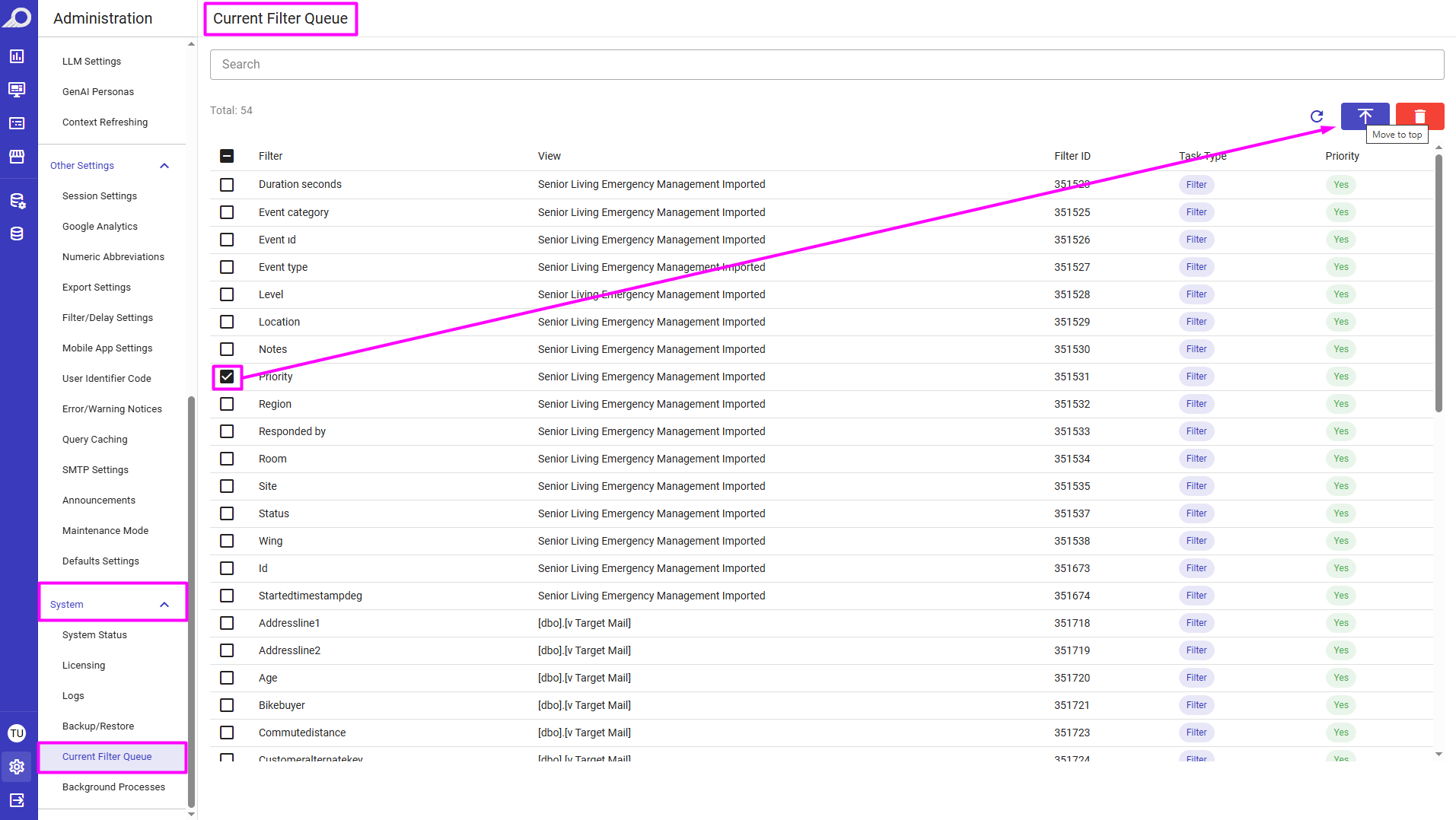
A comprehensive overview of filter cache tasks allowing administrators to view all pending cache tasks, delete specific bottlenecks, and manually move urgent items to the top of the queue.
Visible Assets: Centralized Access Management
To simplify permission tracking, we have added a new “Assets” section directly within the User and Group administration pages. Instead of checking individual elements to see who has access, administrators can now view a complete, centralized inventory of every View, Dashlet, Dashboard, and Showcase shared with any user or group that lacks global rights.
This new tab displays the exact permission level (such as Edit or View) and provides a direct shortcut link to the asset, allowing admins to instantly review the content or revoke access. For example, when a Dashboard is shared, its associated Dashlets will also automatically populate in this list, along with its associated Views (if access was granted during the dashboard sharing process). For super administrators, the tab simply displays a confirmation that they possess global access to all system assets.
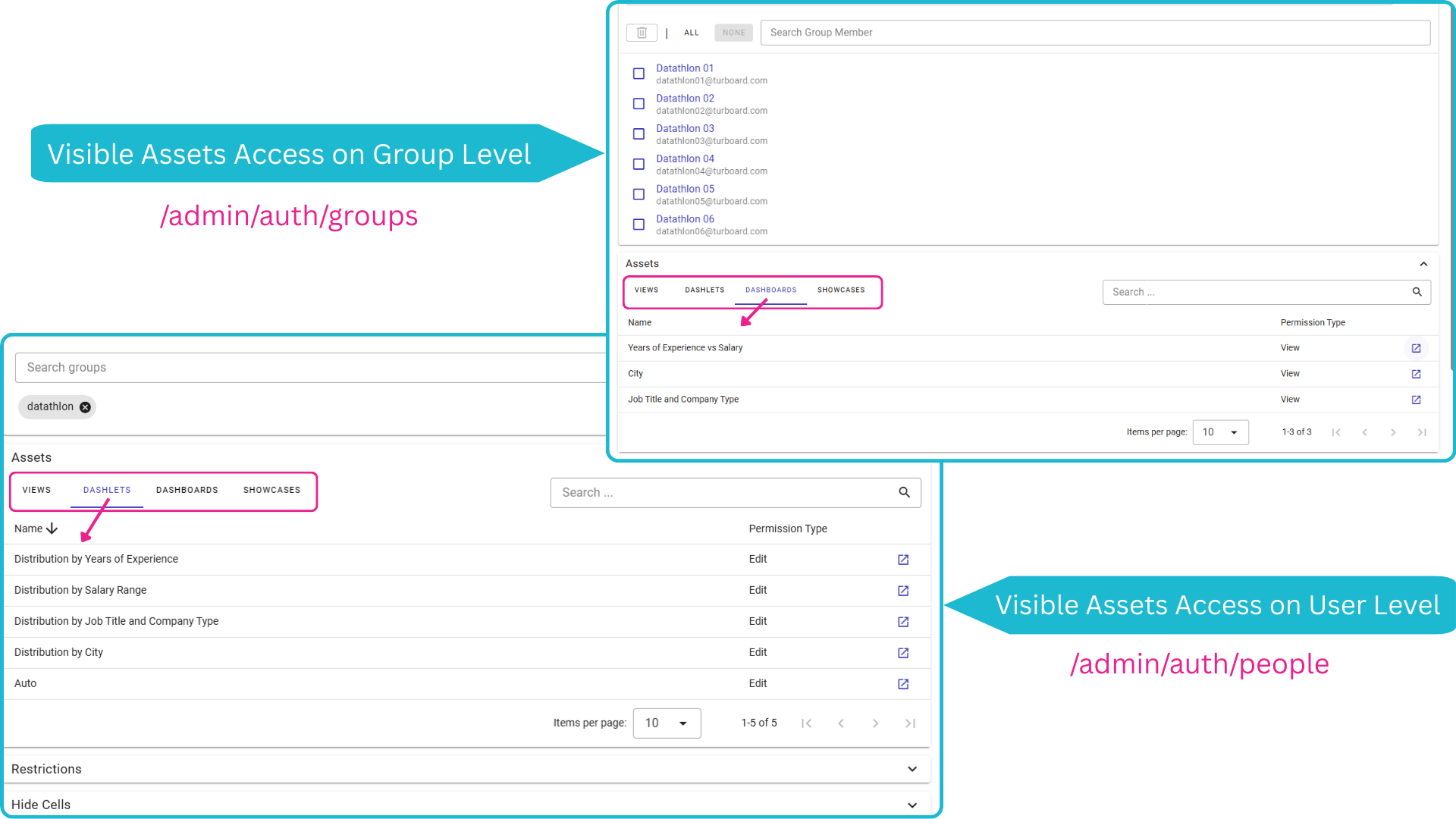
Assets explicitly shared via the standard “Share” menu are now automatically tracked and listed within the user or group profile.

Stop building dashboards, and start getting answers. Experience the next era of BI with our leading GenAI capabilities ‒ request your personalized free demo today.