What's New
January Release Highlights
We are enhancing platform intelligence and design precision with auto-generated smart descriptions, dynamic cursor tracking tools, and an expanded typography system. Including this month’s highlighted features, our team addressed 236 issues in December, delivering a wide range of stability improvements and system optimizations.
Smart Metadata: Auto-Generated Descriptions via RAG
Understanding the context behind a dataset or a dashboard is often just as important as the data itself. With this update, TURBOARD now automatically generates smart descriptions for your Data Source Tables, View Nodes, Dashlets, Dashboards, and Showcases.
Powered by RAG (Retrieval-Augmented Generation) technology, JAS analyzes your elements minutes after they are created and populates the description fields automatically. This feature solves two critical challenges:
1. For Users
It eliminates the “blank page” problem, providing instant context and definitions for assets without requiring manual documentation efforts.
2. For JAS Performance
It creates a “memory bank” of your data structure. By referencing these pre-generated descriptions, JAS can identify the right tables and fields for your questions much faster and with significantly higher accuracy when generating SQL or visualizations.
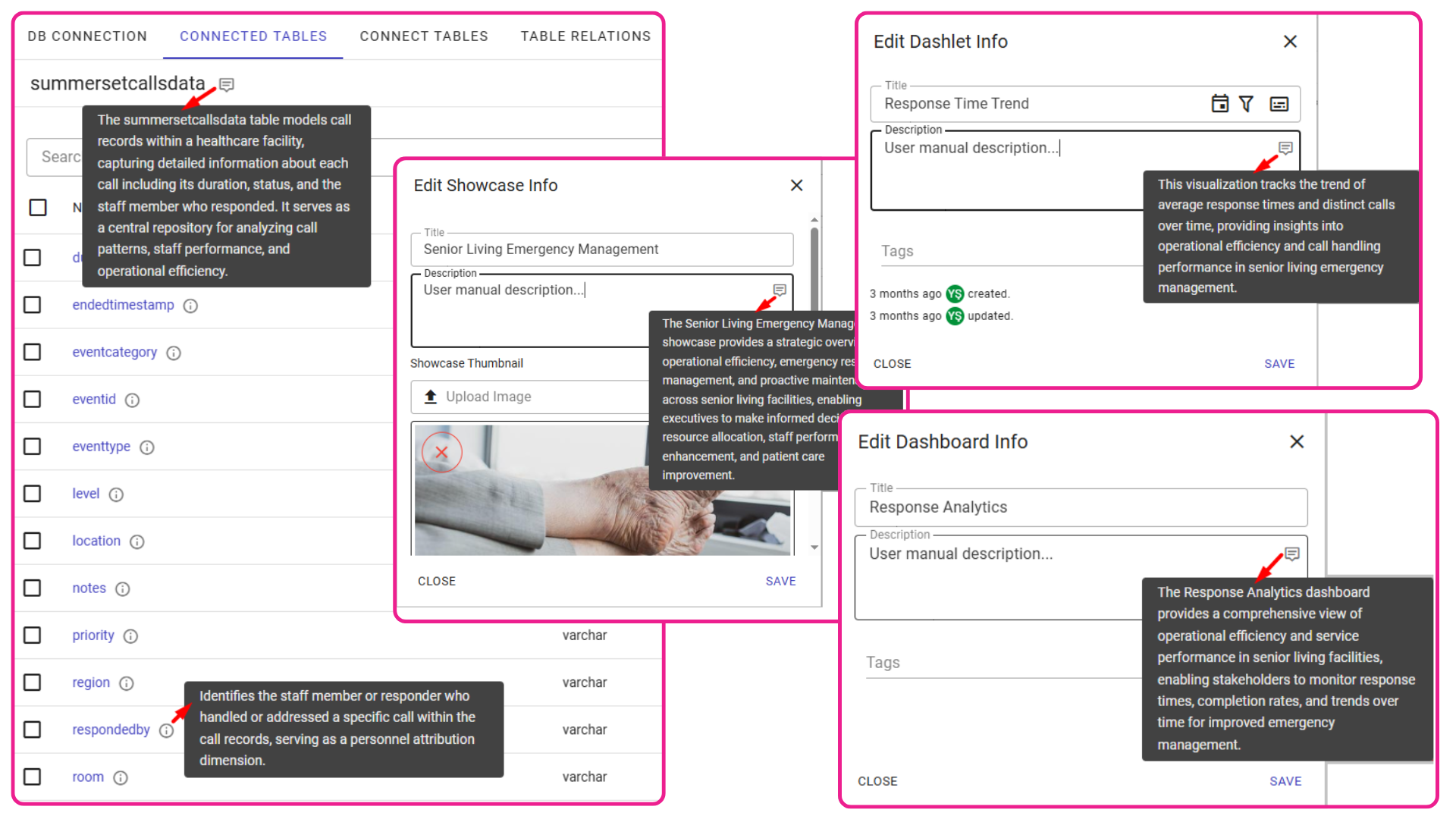
Auto-generated smart descriptions for data assets and visualizations.
Tooltip Cursor Lines for Coordinate-based Charts
For coordinate-based charts like bar, column, and area, we have introduced the new “Cursor Line” feature. When enabled, end-users see a dynamic visual indicator that follows their cursor, instantly connecting hovered data points to their axes. This makes tracking values in dense or complex charts significantly easier.
Designers can configure this feature directly within the tooltip settings. While the “Default” option maintains the standard behavior (label only), you can now switch the pointer type to a line, shadow, or cross. Each type offers full styling control, allowing you to adjust specific properties like shadow opacity, line color, width, and pattern (e.g., solid, dashed, or dotted) to match your dashboard's design.
The cursor indicator, available as a line, shadow, or cross connects hovered data points to their axes for easier tracking.
Expanded Font Library with Smart Grouping
We have upgraded the font selection interface everywhere typography styling options are available. Fonts are now neatly organized into four distinct structural categories: sans-serif, serif, monospace, and fantasy. This makes finding the perfect aesthetic for your dashboards much faster and more intuitive.
Within each category, we have added a variety of new fonts. To speed up your workflow, the top five most popular fonts are listed first, with the remainder sorted alphabetically. Furthermore, the system now automatically includes safe fallback fonts in the background code. This ensures your dashboards will always render perfectly and maintain their structural design, even if an end-user's browser fails to load the primary custom font.
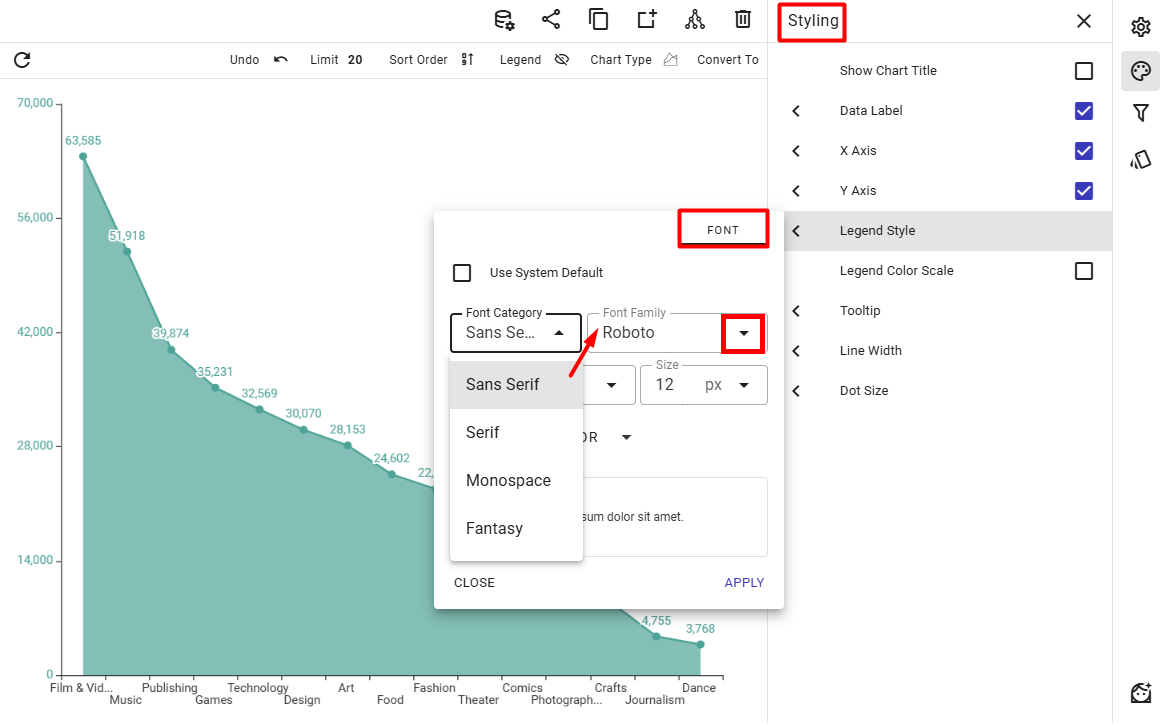
The updated font menu offers a vastly expanded selection, organized into smart categories for faster selection.

Stop building dashboards, and start getting answers. Experience the next era of BI with our leading GenAI capabilities ‒ request your personalized free demo today.